








Web Development

Mark Excell is a full-stack web developer based in Witney, Oxfordshire, with over twenty years of experience building websites and web applications across PHP, MySQL, WordPress and Bootstrap. The work ranges from custom WordPress theme development and complex database integrations through to public sector web platforms serving national audiences. The consistent thread across all of it is a straightforward principle: technically better pages benefit the people using them and the search engines indexing them in equal measure.

Explore my work

Building things properly

There is a version of web development that treats the underlying code as irrelevant as long as the site looks right in a browser. That version produces sites that are slow, insecure, difficult to maintain and increasingly invisible to search engines. The alternative is to treat the quality of the code as inseparable from the quality of the outcome. A page built on clean, semantic HTML with optimised assets, a minimal security surface area and accessible markup is a better page in every measurable sense. It loads faster, ranks better, serves all users more effectively and costs less to maintain over time

Performance benefits everyone

Site performance is not a technical nicety. It is a direct measure of how much a site respects the people using it. Core Web Vitals, Google's framework for measuring page experience, are a ranking signal precisely because they reflect real user experience rather than abstract technical metrics. Lazy loading, caching, image optimisation and lean code are not optional extras applied to fast-track a PageSpeed score. They are the natural output of building a site properly from the start.

Performance benefits everyone abstract image
Security from the ground up abstract image

Security from the ground up

Security is most effective when it is considered from the beginning of a project rather than applied as a layer on top of a finished site. A custom WordPress theme built from a clean foundation has a smaller security surface area than a commercial theme carrying thousands of lines of unused code. Server-level hardening reduces exposure before any application-level vulnerabilities are considered. Wordfence provides ongoing application-level protection. The combination of a lean codebase, a hardened environment and active security monitoring produces a site that is genuinely difficult to compromise rather than one that simply has a security plugin installed.

Accessible by default

Accessible markup is not a compliance exercise. It is a development practice that produces better outcomes for every user, not just those with specific access needs. Semantic HTML helps screen readers navigate content and helps search engines understand it. Sufficient colour contrast makes content readable in difficult lighting conditions as well as for users with visual impairments. Keyboard navigability serves power users as well as those who cannot use a mouse. Building accessibly from the start is faster and cheaper than retrofitting accessibility onto a finished site, and the result is a more usable product for everyone.

Accessible by default abstract image

WordPress done properly

WordPress powers a significant proportion of the web, which makes it both the most familiar platform for clients and the most targeted by automated attacks. The combination of a large install base and the widespread use of commercial themes creates a predictable attack surface that malicious actors exploit at scale. The response to this is not to avoid WordPress. It is to build on it properly.

Every commercial WordPress theme is built to satisfy as many use cases as possible, which means every installation carries a significant volume of code that the specific site does not need. That unused code slows the site down and creates potential security vulnerabilities. Building a custom theme from scratch eliminates both problems at once. The theme contains exactly the code the site requires and nothing else. It is faster because it is leaner, and more secure because there is less of it.

Server-level hardening reduces the exposure of the hosting environment before any WordPress-specific security is considered. At the application level, Wordfence provides firewall protection, malware scanning and login security as a baseline on every WordPress installation. The combination of a custom lean theme, a hardened server environment and active application-level security monitoring produces a WordPress site that is built to resist the automated attacks that target the platform continuously.

The right tool for each project

The development stack for each project is evaluated against the requirements of that project rather than selected by habit or default. PHP and MySQL with Bootstrap 5 is the most common combination for WordPress projects because it is mature, well-supported, performs well across a wide range of hosting environments and is familiar to the developers who may maintain the site in future. When a project calls for a different solution, that solution is chosen instead. The goal is always to select the tool that produces the best outcome for the specific brief rather than the tool that is most comfortable to use.

PHP and MySQL

The server-side foundation for the majority of projects. PHP's maturity and the breadth of its hosting support make it the practical choice for most client work. MySQL provides reliable, performant data storage with a query language that is well understood and well documented. Custom PHP development allows for exactly the functionality the project requires without the overhead of a full application framework when one is not needed.

PHP and MySQL abstract image
WordPress abstract image

WordPress

The platform of choice for content-managed sites, built on with a custom theme rather than a commercial one. WordPress's content management interface is familiar to most clients, its plugin ecosystem covers the majority of functional requirements, and its API allows for integration with external services where needed. WooCommerce extends WordPress to e-commerce when required. The key distinction in the approach here is that WordPress is used as a platform rather than as a shortcut. The theme is custom, the code is clean and the result is a site that performs and behaves like a properly built web application rather than an installed product.

Bootstrap 5

Used as a front-end framework where it serves the project rather than as an automatic starting point. Bootstrap 5's grid system, responsive utilities and component library reduce development time on projects where a consistent, well-tested layout foundation is more valuable than a completely bespoke CSS architecture. On projects where Bootstrap would add unnecessary overhead, a lighter approach is taken. The decision is always driven by the project requirements.

Bootstrap 5 abstract image
HTML5 and CSS abstract image

HTML5 and CSS

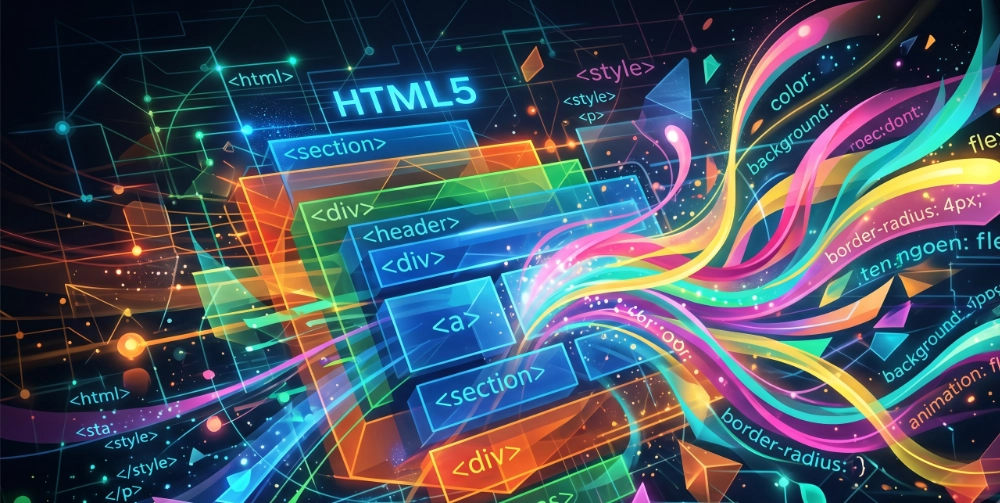
The foundation of every page, written semantically rather than generically. HTML5 landmark elements, correct heading hierarchy, appropriate use of article, section, aside and figure elements, and ARIA attributes where needed are applied as standard. CSS is written with custom properties for consistency, a clear naming convention and a mobile-first responsive approach. The quality of the HTML and CSS is where the performance, accessibility and SEO benefits described elsewhere on this page are actually realised.

How a project works

The development process is straightforward but each stage matters. Skipping or shortening any of them tends to create problems that are more expensive to fix later than they would have been to prevent at the start.

Technical scoping

Before any code is written, the right technical solution for the project is established. Platform, hosting environment, framework, third-party integrations and likely maintenance requirements are all considered at this stage. A project that begins with a clear technical specification produces a more predictable build and a more maintainable result than one where technical decisions are made on the fly.

Environment setup and security foundation

The hosting environment is configured and hardened before the application is built into it. This includes server-level security configuration, SSL setup, PHP configuration and the establishment of a development workflow that keeps the live environment clean throughout the build. Security at this stage is structural rather than reactive.

Custom theme or application development

The build itself follows the technical specification established at scoping. For WordPress projects this means a custom theme built from a minimal foundation, with Bootstrap 5 as the front-end framework where appropriate. Custom post types, custom fields and bespoke PHP functionality are added as the project requires. The code is written to be readable and maintainable by any competent developer, not just the one who built it.

Performance optimisation

Performance is considered throughout the build rather than addressed as a post-launch exercise. Lazy loading, caching configuration, image optimisation and database query efficiency are applied as standard. Core Web Vitals scores are checked during the build rather than after launch, which means performance issues are resolved before they affect real users.

Testing and launch

Cross-browser and cross-device testing before launch. Accessibility checks using the WAVE tool and manual keyboard navigation testing. Google Search Console configured and the site submitted for indexing post-launch. Wordfence configured and active. A site launched through this process is ready to perform from day one rather than requiring a post-launch remediation phase.

This site as a live example

The code behind this site reflects the same principles described above. What follows documents the specific development decisions made during the build and the reasoning behind each one.

Semantic HTML structure

Every page on this site uses a consistent landmark structure. A single <header> containing the navigation, a <main> element wrapping all primary content, and a <footer> at the close. Within the main content, each distinct section is wrapped in a <section> element with an aria-labelledby attribute pointing to its heading, which means screen readers can identify and navigate between sections by name. Evidence items use <article> elements because they are self-contained pieces of content that could stand independently. Testimonials use <figure> and <figcaption> with <blockquote>, which is the semantically correct pattern for attributed quotations. The FAQ uses accessible accordion markup with aria-expanded attributes on question triggers.The heading hierarchy is strictly maintained across every page. One H1 per page for the primary page title. H2 for major sections. H3 for sub-sections within them. No heading levels are skipped. This matters for screen reader users navigating by heading and for search engines parsing page structure.

Brand system and colour abstract image
Structured data abstract image

Performance decisions

Playfair Display and DM Sans are loaded from Google Fonts with rel="preconnect" on the font domains, which reduces the connection latency for the font files. The display=swap parameter in the font URL means body text renders immediately in a system font while the web font loads, preventing layout shift caused by font loading. Images throughout the site use descriptive alt text, appropriate dimensions and where possible next-generation formats. The CSS uses custom properties throughout, which reduces repetition and makes global changes a single-point edit rather than a search and replace exercise.

CSS architecture

The CSS is built on a custom property system defined at the :root level. Brand colours, font families, spacing values, border radii and transition durations are all defined as named variables rather than hard-coded values. This means a brand colour change is a single edit in one place rather than a search through the stylesheet. Class names follow a BEM-influenced convention that makes the relationship between elements clear from the class name alone, which reduces the cognitive overhead of maintaining the stylesheet over time.

Component logic abstract image
Accessibility decisions abstract image

Security considerations

This site is served over HTTPS throughout, with an SSL certificate covering the full domain. The canonical tag on each page prevents duplicate content issues. The robots meta tag is set to index and follow on content pages. The JSON-LD structured data in the page head is the only custom script on the page, which keeps the script surface area minimal. Content Security Policy headers are configured at the hosting level.

Development work in practice

The following projects illustrate the range of development work across legacy system rescue, public sector platform development and front-end build.

Legacy platform rescue and WordPress rebuild

Full-stack PHP and WordPress development

A client's entire digital platform had been built on a proprietary .NET system. When the relationship with the original developer ended, the source files were inaccessible. The only available asset was a raw database export. Working from that export alone, a full WordPress platform was built using custom PHP to map and integrate the legacy data structure seamlessly into the new system. The client retained all historical content and functionality, gained full ownership of their platform for the first time, and reduced their annual development and hosting costs by 90%. The project required a thorough understanding of both the legacy data structure and the WordPress data model, and the ability to write the custom PHP to bridge the two without any reference to the original source code.

Dorset County Council — three public sector sites

WordPress development and technical consultancy

Three distinct public sector web platforms built for Dorset County Council across environmental, sustainability and coastal management briefs: Low Carbon Dorset, Litter Free Dorset and Dorset Coast. Each site followed the same methodology: an initial consultancy phase working alongside the project designer to ensure the design vision was technically achievable within the platform and hosting constraints, followed by the build itself. In each case the signed-off design was brought to life in WordPress with a custom theme, bespoke functionality where required and the full security and performance stack described on this page. The Dorset Coast and Litter Free Dorset sites are live and publicly accessible. All three projects were delivered on time and within the agreed scope.

This site

Front-end development and build

The development of markexcell.co.uk is documented in the live demonstration section above. The short version is that every technical decision on this site was made deliberately and is explainable in terms of the principles described here. Semantic HTML throughout, a custom property CSS architecture, web font loading optimised for Core Web Vitals, accessible landmark structure and JSON-LD structured data in the page head. The site is itself a working demonstration of what technically careful front-end development looks like in practice.

Tools and technologies

The following tools cover the full development workflow from server setup and security through to front-end build, performance testing and launch.

Server-side development

PHP, MySQL, server-side caching, custom post types, custom fields, REST API integration

Front-end development

HTML5, CSS with custom properties, Bootstrap 5, JavaScript, responsive design, mobile-first development

WordPress

Custom theme development from scratch, WooCommerce, WordPress security hardening, Wordfence, plugin evaluation and management, WordPress REST API

Performance and testing

PageSpeed Insights, Chrome DevTools, Google Search Console, Screaming Frog, WAVE accessibility checker, cross-browser testing

Common questions about web development

These questions and answers are present in the structured data on this page. The FAQPage schema in the JSON-LD means AI engines can extract and cite these answers directly.

Why build a custom WordPress theme rather than using a commercial one?
How does web development quality affect SEO?
What is WordPress security hardening?
What framework do you use for web development?
How do you approach web accessibility in development?
What performance optimisation do you apply as standard?